


How to scale a software company with 200 employees by onboarding, training and certifying employees and customers simultaneously without the need for an on-site (permanent) Systems Administrator?
Make the choice of an inappropriate LMS vendor, and the HR team could find themselves manually resetting course completion statuses, troubleshooting the HRIS integration, and incurring unexpected five-figure administrative fees for enabling basic connectors required for integration.
This guide takes you through the entire selection process and outlines the recommended three-year cost analysis and platform performance data for making the right purchasing decision on your first attempt.
Core Lessons for Picking a SaaS LMS
Most LMS vendors' web pages sell you the promise of rapid implementation and automation. The working environment of businesses can be substantially different than what you expect after inputting your first set of training materials and linking your user database. Headline subscription fee structures do not indicate the overall cost. Most per-user pricing models do not account for multiple portals, pre-built course libraries, premium support, or integration connectors—any one of which can incur numerous additional costs (some of which exceed $10,000).
Billing for active monthly users enables external training academies to manage their budgets more effectively, while paying for every stored profile adds financial strain to external training academies. The workload associated with being an administrator is what distinguishes SMB tools from enterprise solutions.
For example, TalentLMS has an average implementation period of 1.5 months using limited resources, whereas systems such as Docebo require the implementation of significant amounts of automation and also require dedicated resources to support their high-level automated processes.
When training employees and customers or franchises simultaneously, training systems must have either dedicated sub-portals (like TalentLMS Branches) or the entire multi-portal architecture (like LearnUpon) so that outside audiences do not have access to internal compliance education materials. Proof of customer satisfaction is much more important than vendor marketing. Not many vendors provide their customers with documented results (e.g., TalentLMS reduced the average onboarding of new associates by 35 hours at 42 North Dental, and Docebo experienced a 102% increase in usage at Wrike).
Many competing vendors use only vague feature lists without providing any concrete metrics on their efficacy or value proposition.
Here is a brief overview of the landscape:
TalentLMS: Fastest deployment into the small to mid-market segment. 92.5% completion at Trans Ash, but with disorganized reports. Pricing: Free & paid tier from $119/mo (includes up to 40 active users). Verified proof of primary constraint; G2/Reddit users point to general estimates of SCORM 2004 upload limits.
Docebo: Large enterprise and extended enterprise learning solutions. Based on a quote (active-user tiers) on the Elevate/Enterprise plans. Independent studies and Quarter 2 filings report 11,000+ hours saved through setup load at Wrike, alongside connector fee reports of $10,000+.
LearnUpon: Multi-portal B2B customer and partner training. Third-party estimated average of $15,000 to $25,000/year ($6-$9 per MAU). Vendor stories and customer stories record 95% engagement at Soccer Shots; weak B2C eCom status and rigid page layout.
Absorb LMS: Large-scale external partner and compliance training. Custom vendor quote required. Strong level of cloud scalability; no verified customer metrics publicly listed.
SAP Litmos: Rapid compliance rollout with readymade courses. Custom vendor quote required. Built-in content/learning library and AI assistant; no verified public outcome data.
360Learning: Peer-to-peer collaborative learning and internal expert authoring. Public pricing model (exact rate currently not verified). Fast internal course creation; requires a primary reference verification for ROI data.
iSpring Learn: SMB employee training via PowerPoint. Based on comparison data, from $2.29 per user per month. Very tight PowerPoint conversions.
LearnWorlds: Paid course monetization and creator academy. Based on comparison data, from $24 per month. Strong B2C course creation tools; not designed for heavy corporate compliance.
Moodle: Technical teams seeking open-source code control. Free open-source license; buyer responsible for hosting and maintenance. Internal IT owns all server patches, setup, and support.
ProProfs Training Maker: Basic small business employee course delivery. Officially free tier; paid tier from $1.99 per learner per month. Very low entry price for simple internal training; not for large-scale complex training.
Trainn: Product-led SaaS customer education academy. Based on comparison data, from $7.50 per learner per month. Designed specifically for SaaS user training; no publicly confirmed case study numbers.
How a SaaS LMS Works in Daily Use
Buyers looking for a SaaS LMS typically get overwhelmed. Under standard dictionary definitions, people say that 'browser' means the same thing as 'browser'. But you know what it means to you: the software you use to manage your learning business will run on the Internet (in the cloud).
When looking at your options, what really matters is how different approaches to delivering cloud-based solutions provide differing levels of operational burden (what support a vendor provides) to your organization depending on whether you enter into a three-year contract for cloud-based technology.

Cloud-Hosted vs. Self-Hosted Solutions
With a cloud-hosted learning management system (LMS), the LMS is hosted on the vendor's server. Your learners simply log into the LMS using a web browser (or on their mobile device via the mobile app), while the vendor maintains the host server environment, implements security updates, and provides all of the core software updates needed to keep the LMS secure and functional.
In contrast, with a self-hosted LMS, such as with an on-premises installation of Moodle, while you might have not had to pay for the LMS software license up front, your organization's internal IT staff will be responsible for maintaining server uptime, performing database backups, and keeping the LMS up-to-date with the latest version of Moodle.
While you may save money on the first day of purchase for a self-hosted LMS, when something goes wrong with your server (e.g., it crashes) during an annual compliance audit, the true cost to your organization starts to become apparent.
When you choose a vendor-managed cloud-based LMS, rather than maintaining control of the raw code yourself, you will benefit from having a faster LMS and a predictable uptime. You will not have to hire any internal server engineers to ensure your courses remain available online. However, you will still be responsible for managing your own user account data, course content files, and system rules.
Active User Billing vs. Trapped Registered Seats
The majority of cloud vendors have a standard pricing structure for their product offerings, consisting of four major different billing models (registered-user pricing, monthly active user pricing, fixed user tier pricing, and custom enterprise agreements). By understanding the billing model pricing calculator, you can protect your training budget now and in the future.
Registered-user pricing means you will be billed for every single user (or profile) that exists in your database, regardless of whether the user has logged into their account within the specified time period. In your capacity as a customer academy or as somebody who manages a training environment that trains the high turnover of retail employees, the cost associated with maintaining inactive profiles will subsequently increase and will explode your software bill after only 6 months.
The bimonthly customer billing method that TalentLMS and Docebo use is great, as they pay only for those registered users that log in to their software platform during that particular billing period.
For companies within the small and mid-sized market, Toolbees will provide data that states that the average per user monthly cost is approximately $3.00 to $10.00. However, if you select a flat starter plan, this will typically cost between $150.00 and $500.00 per month.
Since there isn't a standard practice today as to how vendors operate with active user count resets, it is critical that you always ask the vendor for clarification as to whether an “active user” count resets every 30 days, or if that active user will remain and “lock into” the higher tier for the duration of your contract year.
Managing Training for Outside Groups
In modern times, companies seldom train only their own full-time employees. If the training has been extended to include groups outside of your company, including customers, users of your software, channel partners, dealers, and franchise owners, this is referred to as extended enterprise learning.

If you continue to manage the internal employee compliance training course and external training for customers' education on your platform within the same single flat workspace, you will create a messy situation. External users may accidentally view courses related to your employee onboarding, alongside the inability of administrators to separate report data related to individual client companies.
Smart platforms may solve this issue by utilizing a system architecture called multi-portal architecture, or segmenting sub-environments (branches). Multi-portal systems provide a way for you to create and administer multiple branding separately from one central back end and keep user permissions, course catalogs and branding completely separate.
The Practical Truth About AI Features
Many vendors today provide a product or service that is marketed with the term "AI". Although they may state that the AI is an integral part of their product or service, most of the AI features are little more than basic wrappers and simply add another cost to the product or service without providing true administrative time savings.
There is no way to see the most accurate way in which vendors find value in artificial intelligence. There are four specific areas in which true AI value can be found: drafting initial quiz questions from existing company documentation; auto-tagging catalogue items to allow for an easier discovery of content; offering automated course recommendations based on a learner's job role; and providing learners with an in-portal assistant to help them quickly locate answers to questions.
If you are contacted by a vendor to pitch you predictive analytics or automated authoring, request a live demonstration through the use of an internet video conferencing platform where they can provide you with the exact details of the workflow. You should also confirm whether the functionality mentioned sits within the base subscription or if they require a paid add-on module in order to access these features.
The Top 11 Cloud Learning Platforms
The blogs maintained by vendors rank their own software number one, and also allow others to post a generic feature list for their respective software products. The following is a detailed breakdown of each of the top 11 cloud learning platforms currently available in the marketplace, which includes providing successfully completed customer metrics and official rate cards for each of the above-mentioned platforms, as well as third-party estimates of total customer spend and user-identified operational defects for each platform.
1. TalentLMS
TalentLMS is the only cloud-based learning platform available from Epignosis specifically designed for start-ups, small-medium sized businesses (SMBs), and mid-sized companies that need to quickly launch a training program without having to hire (or have any employees with) an experienced system administrator. TalentLMS features both an internal staff onboarding module as well as a branches module for the purposes of training external customers and business partners.

TalentLMS also provides a free plan as well as a subscription plan starting at a monthly fee of $119.00/month for up to forty (40) users (based on unique monthly logins). According to Epignosis, there are over 70,000 teams currently using the software, and the user-friendliness of the software received a score of 91% for ease of setup, with an average of 1.5 months from start to launch and a payback period for customers that ranges from 9 to 11 months.
Verified customer results support that speed:
Trans Ash achieved a 92.5% training completion rate for 1,000 employees, and the company significantly reduced the time needed to retrieve compliance audit records from weeks to minutes.
42 North Dental eliminated 10,500 work hours, reduced the onboarding time for new hires by an average of 35 hours each, and decreased its employee turnover rate from 40% to 25%.
Global Shop Solutions increased from 330 internal employees to over 7,300 total learners, and reduced the length of time required for employee career advancement from 2-3 years to 8-12 months.
Tagmarshal and Cash Converters saw a 600% increase in course completions, and Cash Converters had a 15% increase in course completion rates.
Position Green has expanded from 30 employees to 350 employees and has trained over 3,000 learners in Europe, North America and Asia.
There are limitations on customization with this platform. Users have noted on G2, Capterra, and Reddit that there has been clunky custom reports created, limited branding of the learner interface, too many rigid grading rules, course renewal settings that have wiped out all previous completion records, limitations on lower-tiered support, and the inability to upload SCORM 2004 packages or swap out a SCORM file without having to completely rebuild the module.
2. Docebo
Docebo is a modular, AI-powered enterprise learning platform designed for mid-market and large enterprise companies implementing intricate internal and external training programs. In terms of emphasis, the software focuses primarily on workflow automation; on the other hand, the software is all about content discovery, all types of automated recommendations, as well as enterprise scale in extending all types of colleges to the entire enterprise's users.

Docebo bases its pricing solely on the needs of each customer based on the abilities of every customer using only a quote, and pricing is tiered around the number of users active at any time in relation to Docebo's two plans (Elevate and Enterprise). There are no public price listings. Docebo claims that approximately 4,000 customers worldwide use their product. According to G2, there are more than 3,900 businesses that are based on G2's performance evaluation, which received a 4.3 (out of a possible 5) rating based on approximately 750 reviews from users.
Enterprise proof of Docebo is fairly extensive. According to an example of a customer, Wrike, Wrike's rollout resulted in a 102 percent increase in user activity, as well as a 300 percent increase in conversion rates through the use of Docebo's learning management system (LMS) and a reduction of over 11,000 hours of training time for all of the new hire trainers and users who used Docebo's LMS, according to Docebo.
Furthermore, according to an example of Global Security-Services Leader's second-quarter financial results as reported in The Globe and Mail, the world's largest non-publicly traded security company selected Docebo to support the integration of both internal and outside training for over 130,000 employees located in 56 countries, including a bilingual customer training academy. Shoe Carnival enhanced its training consistency for all stores to 100 percent using Docebo's LMS, while training documentation was reduced by up to 84 percent to 97 percent using custom forms created by eSkillz.
While the benefits of using Docebo can be very beneficial to enterprises, this software solution can sometimes bring a lot of administrative burden and other challenges. In addition, many reviewers on Reddit and G2 warn potential customers to be aware that beginning the software and supporting it after an initial setup will require substantial technical resources (replacing technical support). One reviewer stated that upon subscribing to the Docebo Connect integration module, they were informed that the module would not be turned on unless they paid an additional $10,000 for activation.
3. LearnUpon
LearnUpon is a multi-portal system that allows organizations to create portals for specific employee groups, including employees, customers, business partners, membership associations, and franchises using one central location. Aimed at larger mid-sized to large businesses that want to invest in educating their customers about their products and certifying their partners, LearnUpon has yet to release an official public price list.

Based on a third-party analysis by Disprz, smaller implementations of LearnUpon will cost around $15,000 to $25,000 per year. Monthly active user costs will generally run around $6 to $9 per month at lower volume levels. These estimates are approximate market estimates rather than official vendor quotes.
Verified customer information points to a strong correlation between learner engagement and the use of LearnUpon by its customers. For instance, reports from FeaturedCustomers.com reported that Soccer Shots Franchising had a 95% learner engagement rate, and PGMOL had a 90% learner engagement rate. The Risk Factory reported a 60% decrease in administrative overhead associated with training. Treasury reported a core training process was shortened by "approximately 3 to 4 weeks," although the source material does not provide an exact starting baseline.
Where LearnUpon has been noted as lacking is in visual flexibility and selling to consumers. Users commenting on Reddit have indicated that while LearnUpon does provide a nice product for delivering content to customers using traditional B2B methodologies, the learning journey builder is clunky, limited in terms of customizability of visual aesthetics, and built-in e-commerce capabilities are lacking in many respects when compared with high volume B2C courses.
4. Absorb LMS
Absorb LMS is a cloud-based scalable learning management solution designed for mid-market and enterprise level companies delivering large training and compliance programs to their employees, partners, and customers. Absorb LMS focuses on providing flexible delivery options through a cloud environment, a polished learner interface, and enterprise-focused administrative tools.

Pricing for Absorb LMS must be arranged with the vendor. There are currently no publicly available prices for Absorb LMS. Further, no verifiable metrics exist regarding how well Absorb LMS performs for customers during their training programs, making demand for documentation from reference clients and potential buyers acceptable.
5. SAP Litmos
SAP Litmos offers fast deployment and compliance tracking through their core cloud learning platform and their standard off-the-shelf course catalogue, in addition to having an onboarded AI assistant. This means mid-market and enterprise companies can roll out mandatory safety training, compliance training or sales training without the need to build each course from the ground up.
As with vendors who compete in the enterprise space, SAP Litmos has custom vendor quotes, so there are no publicly available pricing cards, and buyers will need to confirm completion and time-saved metrics with current customers of Litmos during the procurement stage.
6. 360Learning
360Learning has developed itself as a collaborative learning platform that enables internal subject matter experts to create courses, as opposed to relying solely on an instructional design team to develop every course. This will be useful for mid-market and enterprise companies that are focused on enabling peer-to-peer learning, providing internal upskilling opportunities and quickly sharing knowledge throughout their organizations.
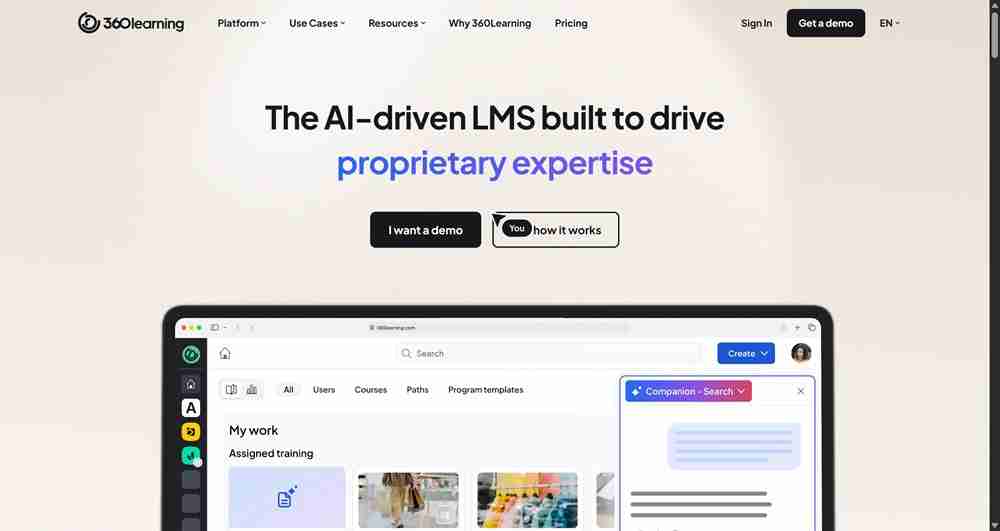
360Learning publishes their pricing transparently, allowing potential customers to demo their platform without a mandatory sales consultation. However, our research did not confirm the specific pricing per user at this time. There are also no independent customer outcome metrics in our data. Therefore, validating customer ROI will be required before launching a pilot program.
7. iSpring Learn
iSpring Learn is a lightweight cloud platform which is well known for its robust PowerPoint-to-course conversion functionality and simple employee training process. The product is designed for small to medium-sized businesses (SMBs) as well as small to mid-sized training departments who already create their PowerPoint presentations and are looking to convert them into SCORM compliant modules.
Based on ProProfs comparison data, iSpring Learn's starting price is $2.29/user/month. While this cost is very competitive for those companies with lower budgets, there are no validated customer outcome metrics reported in the dataset; therefore, companies should consider applying their own PowerPoint presentations during a free trial before making a purchasing decision.
8. LearnWorlds
LearnWorlds was developed as a course selling and training-focused ecosystem. The software is used primarily by independent education creators and business owners that create paid courses offered externally. This is the ideal platform for companies looking to establish a revenue-generating education academy or other types of digital education.
The starting price for LearnWorlds according to ProProfs market comparison is $24/month, making it a great starting price point for education seekers looking to establish a revenue-generating academy. There were no specific outcome metrics related to customers in the data provided for this research, and companies looking for a good HRIS sync or looking to produce complex internal audit reports will not find the best solution here.
9. Moodle
Moodle is a free and open-source learning management system (LMS) that has been heavily adapted for use in higher education and various K-12 education systems. Moodle is highly configurable by the end-user, thus giving complete control over one's LMS codebase to the education institution or organization that is managing the Moodle instance.
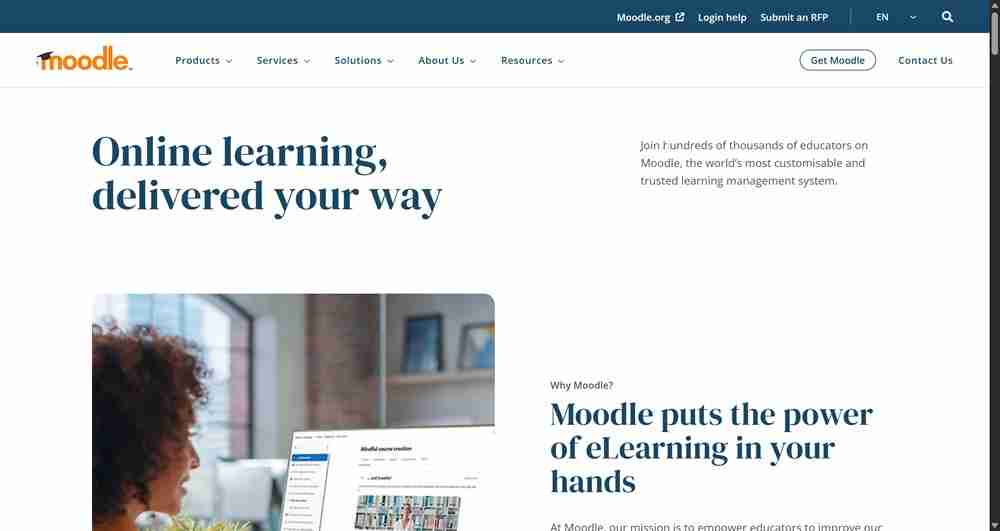
Moodle has an open-source license and therefore the cost of the underlying software is free, which is an attractive feature for many organizations. When deploying Moodle and running a self-hosted version, your internal IT department is responsible for setting up the server in which you will deploy your Moodle instance, as well as paying for all your cloud-hosted server costs, managing all security updates, maintaining any plug-ins you may want to install, and troubleshooting any issues you may have.
Additionally, based on our data, no verified corporate outcome metrics have surfaced indicating that managed cloud competitors save a significant amount of money compared to the costs of managing a self-hosted version of Moodle.
10. ProProfs Training Maker
ProProfs Training Maker is an affordable, easy-to-use cloud LMS designed for smaller companies and organizations who are looking to onboard new hires into their business with minimal bloat. The simple authoring tool and pre-built course templates allow even the least technical manager (e.g., a round-the-clock office manager) to be able to immediately assign courses.
According to ProProfs pricing, ProProfs offers a free plan, followed by paid options at $1.99 per learner monthly. The platform offers basic, clean delivery of eLearning courses at a reasonable price point, however, there are no verified customer outcome metrics published based on this research.
11. Trainn
Trainn is a niche customer-education LMS for product-led SaaS companies and is focused on building an external customer academy to create software adoption and reduce support tickets. Rather than serving as an internal HR compliance platform, it is focused on creating and delivering video tutorials, product walkthroughs, and certification programs for customers.

Pricing for Trainn starts at $7.50 per learner monthly according to the comparison made by ProProfs. Since Trainn is a focused niche provider and did not provide any verified customer outcome metrics based on this research, it is recommended to test Trainn’s product analytics and CRM connections in a live proof of concept.
Segmenting Buyers and When to Pass on Generic Top 10 Lists
Generic top-10 lists do not hold true because the platform that works well for a 50-person software company would collapse within a 5,000-person construction firm. It is important to align your operation model and structure with the correct type of software program and to be aware of when to walk away from a major software vendor.
The only way to make a successful software investment is by identifying what your organization's unique operational constraints are. The following are examples of organizations that may require specific features when choosing an LMS for employee, customer, and partner training:
A company that provides SaaS solutions with approximately 200 team members and does not have a dedicated person managing the eLearning program should choose a training program that allows for quick setups, supports multiple audiences, and has minimal technological requirements to establish. Suggested LMS options: TalentLMS with Branches feature, LearnUpon, or Trainn (if the primary function of the program is to onboard customers).
A construction or field-services company that relies on compliance as a driving factor requires an LMS that gives its field crews access to mobile technology so they can attest to compliance with rigorous compliance requirements and can retrieve evidence of compliance immediately when requested by regulatory agencies. Suggested LMS options: TalentLMS (has demonstrated success through Trans Ash's 92.5% completion rate across more than 1,000 staff members) or SAP Litmos.
A company in the middle-market that is replacing old spreadsheets with a LMS will require features that allow for automatic role-based learning paths, adequate management reports, and automatic HRIS and CRM account synchronization. Suggested LMS options: LearnUpon, 360Learning, or iSpring Learn.
A training organization that uses eCommerce to sell paid courses will require features that support checkout flows, payment processing, coupon codes, and a branded storefront. Suggested LMS option: LearnWorlds.
A large enterprise that is centralizing their internal and external training across many learners with great volume will require features including automated processes, multilingual portals, and billing for multiple active users across thousands of learners. Suggested LMS options: Docebo or Absorb LMS.
When to Walk Away from Popular Vendors
Be cautious of purchasing a solution when the vendor demonstrates to you that it is not a good fit for your organization. The sales representatives for a vendor are unlikely to indicate when their platform is not appropriate for your business. Before you book any demo, memorize these negative-fit rules:

If you need extensive branding capability on the learner interface, nuanced custom reports with multiple layers, or need to edit SCORM 2004 files extensively after you upload them, do not purchase TalentLMS.
Do not purchase Docebo if you are a small team who wants a fast and easy-to-launch self-serve solution that does not require a dedicated admin staff or budget for enterprise-level integrations.
Do not purchase LearnUpon if your main business model is to monetize courses on a B2C basis and you need the ability to customize your store pages and advanced shopping cart capabilities.
If you do not have dedicated developers on staff capable of managing cloud servers, updating databases and patching security vulnerabilities year-round, do not choose self-hosted Moodle.
Using Monthly User Rates to Compare Vendors
A rookie mistake when comparing software vendors is when you are only using the monthly per-user rate to evaluate vendors. If you take into consideration add-on modules, portal fees and renewal price increases in year 2, you will most likely have at least double your initial budget in total cost of ownership (TCO) after 3 years of operation.
Three-Year Cost Comparison Model
To understand how much the different pricing tiers cost in practice, let me illustrate it with a model of a growing mid-size company over the next 3 years. This guide illustrates how total cost of ownership (TCO) is weighed down by several factors including implementation, connectors, and administrative labor.
| Cost Component | Lean SMB Setup (e.g. TalentLMS Tier) | Mid-Market Multi-Portal (e.g. LearnUpon Estimate) | Enterprise Extended Suite (e.g. Docebo Custom Tier) |
| Pricing Evidence Basis | Published Starter Pricing (for 40 active users is $119.00 per month which scales up via other tiers). | Third-party Marketplace (approx. Disprz Est $15K-$25K/yr). | Custom Enterprise Quote + User-reported Connector Fees. |
| Year 1 BASE Subscription | $4,800 - $7,200 | $18,000 | $45,000+ |
| Implementation & Migration | $0 (Self-Serve Setup in ~1.5 Months) | $3,500 - $5,000 | $10,000 - $15,000 |
| Integration & Connector Fees | Included on standard tiers | $2,000 (HRIS/CRM Setup) | $10,000+ (e.g. reported Docebo Connect activation fee) |
| Extra Portals / Content Add-ons | Included via Branches | $3,000 (additional portal tiers) | $12,000 (extra portals + AI/content modules) |
| Internal Admin Labor Load | 0.15 FTE (minimal maintenance) | 0.35 FTE (part-time specialist) | 1.0 FTE (dedicated LMS administrator) |
| Software TCO Estimate over 3 Years | $14,400 - $21,600 | $62,500 - $68,000 | $181,000+ |
Hidden Add-Ons and Renewal Repricing Exposure
Audit five specific cost drivers prior to signing vendor contracts:
Connector Activation Gates: Vendors often require you pay an extra $10,000 to turn on the connector, as G2 reviews noted in connection with Docebo Connect when it was first introduced.
Portal Count Limits: Many platforms offer one or two portals within the base quote, and charge thousands of dollars annually for each additional partner or regional academy added after that.
Off-the-Shelf Content Libraries: Pre-built compliance and leadership courses are typically billed at a separate per-seat subscription rate above and beyond your software license.
Support Tier Gating: Capterra reviewers frequently mention that entry-level plans restrict access to live technical support, thereby forcing you into a higher tier when urgent migration issues arise.
Renewal Repricing: On an annual basis, enterprise vendors offer steep discounts on the first year in order to win the deal, only to increase the rate between 15% and 30% at renewal once SCORM files and completion records are locked in their system. Cap annual increases at 5% to 7% for renewal, in writing, before you make a purchase.
Implementation Challenges and Integration Roadblocks
The smooth sales demo will never demonstrate what will happen when 500 employees are locked out on "go live" day or when an updated compliance course wipes out everyone's certificates. You need to take a look at the operational plumbing between here and there prior to implementing it.
Admin Operating Load and Setup Timeline
The difference in daily clicks between a self-service SMB product and an enterprise heavy suite comes down to the number of clicks per day that the administrator is making. Users of TalentLMS have an average of 1.5-months to launch due to the configuration of branches and course uploads taking place in one afternoon by an HR manager or person in operations.

The architectural effort required for implementing an enterprise system will take months of planning. In Docebo, for example, the mapping of complex user types, the establishment of automated enrollment rules and the creation of custom pages has taken serious tech know-how to develop.
For instance, organizations like eSkillz have built custom forms in Docebo just to reduce documentation clicks by 84-97%. If you buy an enterprise system without budgeting for a trained administrator, you will have a good number of features that will never be utilized.
SCORM Quirks and Course Reset Pitfalls
Most corporate training organizations utilize SCORM (Sharable Content Object Reference Model) or xAPI standards to package their interactive courses. Although all vendors represent themselves as fully SCORM compliant, many of the things you can do with SCORM files on the administrative dashboard can drive instructional designers insane.
Users on Reddit have flagged two major workflow pain points for TalentLMS admin users: the inability to upload certain SCORM 2004 files, and that you cannot easily swap out an updated SCORM package in an existing course without breaking the way that modules were set up originally.
To make matters worse, when the annual renewal time comes for an organization’s compliance training, various systems have strict reset rules that remove completion history rather than retain it and allow it to be accessed by auditors. It is very important to test uploading, replacing, and resetting a live SCORM file within a sandbox account prior to purchasing any saas lms.
Single Sign-On and HRIS Syncing
Your learning platform cannot exist in a vacuum. To successfully automate the process of onboarding users and measuring the impact of revenue, learning platforms must integrate with your identity provider to automate single sign-on (SSO), pull job titles from your human resources information system (HRIS), and push customer certification data into customer relationship management (CRM) systems.
Look beyond the vendor’s manufactured logo-wall and find out how well integrations work. First, test out SSO deep linking: if I click on a direct link from an email to get to a specific course, does SSO automatically log me in and take me to that course page? Or does SSO take me to the vendor’s generic welcome page, and then I have to search for the course?
Second, make sure that the HRIS sync maps to custom data fields such as department, location, and date-hired, so that all of the new hires get assigned their required training on their first day without having to manually upload CSV files.
Final Verdict on Cloud Learning Platforms
Stop buying learning software based on informational documents that list 50 feature rows, and vague promises of ‘AI’. There are three distinct operating lanes within the market, and your goal is to pick the operating lane that best suits your current admin capabilities and types of users you have.
If you are a start-up or SME needing to bring employee onboarding, compliance tracking, or a basic customer academy up in six weeks, and do not have the budget to pay for a full-time specialist, you should definitely consider using TalentLMS (or iSpring Learn if your team lives in PowerPoint). The documented results of businesses such as 42 North Dental saving 10,500 hours and Trans Ash achieving 92.5% completion demonstrate that you can achieve significant operational returns on investment by investing $1,299 for basic reporting and branding limitations.
If you are scaling a B2B customer and partner education program over multiple distinct portals and have a budget of $15,000-25,000 to invest annually, you should create a list with LearnUpon at the top as one of the systems you will test. Keep LearnWorlds on the list in case your primary goal is selling courses directly to B2C, providing an easier and seamless checkout process.
If you are a large enterprise planning to consolidate all of your global internal and external training for potentially tens of thousands of learners, Docebo has proven success in delivering results. But be sure you get the connector activation fees, implementation support, and renewal price caps in writing before you sign the contract.
